
Learn to send emails using the Jakarta Mail API and using the Gmail SMTP Server. We will see the Java examples to send plain text emails as well as emails with attachments.
1. Gmail SMTP Server Details
Google has provided free access to one of its SMTP servers and we can use its Java code to send emails.
- Gmail SMTP server: smtp.gmail.com
- Port: 465 (SSL required) / 587 (TLS required)
- Username: Gmail id
- Password: The app password
We must create the app password as described in this guide. We cannot use the Gmail password (used to signin in the browser) if we have enabled the 2-factor authentication for the account.
In absense of App password, you will get the “AuthenticationFailedException: 534-5.7.9 Application-specific password required.” error in runtime.
2. Jakarta Mail API
For a typical client application, we need to perform the following steps to send an email:
- Create a mail message containing the message header and body
- Create a
Sessionobject, which authenticates the user using theAuthenticator, and controls access to the message store and transport. - Send the message to its recipient list.
3. Maven
Start with adding the following dependencies to the project. Note that the Angus Mail implementation of Jakarta Mail Specification 2.1+ providing a platform-independent and protocol-independent framework to build mail and messaging applications.
<dependency>
  <groupId>jakarta.mail</groupId>
  <artifactId>jakarta.mail-api</artifactId>
  <version>2.1.2</version>
</dependency>

<dependency>
  <groupId>org.eclipse.angus</groupId>
  <artifactId>jakarta.mail</artifactId>
  <version>2.0.1</version>
</dependency>
4. Send an Email with TLS
The EmailSender is a utility class that accepts the message parameters and sends the email to recipients.
import jakarta.mail.Authenticator;
import jakarta.mail.Message;
import jakarta.mail.MessagingException;
import jakarta.mail.Multipart;
import jakarta.mail.PasswordAuthentication;
import jakarta.mail.Session;
import jakarta.mail.Transport;
import jakarta.mail.internet.InternetAddress;
import jakarta.mail.internet.MimeBodyPart;
import jakarta.mail.internet.MimeMessage;
import jakarta.mail.internet.MimeMultipart;
import java.util.Date;
import java.util.List;
import java.util.Properties;

public class EmailSender {

  private static final Properties PROPERTIES = new Properties();
  private static final String USERNAME = "admin@gmail.in";   //change it
  private static final String PASSWORD = "password";   //change it
  private static final String HOST = "smtp.gmail.com";

  static {
    PROPERTIES.put("mail.smtp.host", "smtp.gmail.com");
    PROPERTIES.put("mail.smtp.port", "587");
    PROPERTIES.put("mail.smtp.auth", "true");
    PROPERTIES.put("mail.smtp.starttls.enable", "true");
  }

  public static void sendPlainTextEmail(String from, String to, String subject, List<String> messages, boolean debug) {

    Authenticator authenticator = new Authenticator() {
      protected PasswordAuthentication getPasswordAuthentication() {
        return new PasswordAuthentication(USERNAME, PASSWORD);
      }
    };

    Session session = Session.getInstance(PROPERTIES, authenticator);
    session.setDebug(debug);

    try {

      // create a message with headers
      MimeMessage msg = new MimeMessage(session);
      msg.setFrom(new InternetAddress(from));
      InternetAddress[] address = {new InternetAddress(to)};
      msg.setRecipients(Message.RecipientType.TO, address);
      msg.setSubject(subject);
      msg.setSentDate(new Date());

      // create message body
      Multipart mp = new MimeMultipart();
      for (String message : messages) {
        MimeBodyPart mbp = new MimeBodyPart();
        mbp.setText(message, "us-ascii");
        mp.addBodyPart(mbp);
      }
      msg.setContent(mp);

      // send the message
      Transport.send(msg);

    } catch (MessagingException mex) {
      mex.printStackTrace();
      Exception ex = null;
      if ((ex = mex.getNextException()) != null) {
        ex.printStackTrace();
      }
    }
  }
}
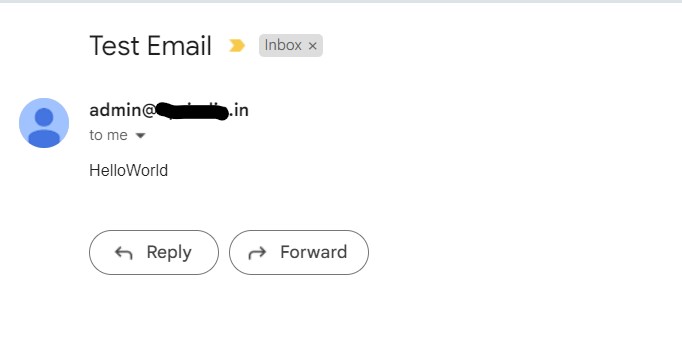
To test the above class, we can invoke the sendPlainTextEmail() method as follows:
import java.util.List;

public class MailTest {

  public static void main(String[] args) {

    EmailSender.sendPlainTextEmail("sender@gmail.com",
        "reciever@gmail.com",
        "Test Email",
        List.of("Hello", "World"),
        true);
  }
}
Check the email. You should be able to see the email in your Gmail inbox as follows:
5. Send an Email with SSL
If we do not have TLS support on the server, we can use the SSL support provided in the API. To use SSL, follow these steps:
- Remove the
mail.smtp.starttls.enableproperty - Use port number 465
- Add SSL support in the properties
The modified properties will be:
static {
    PROPERTIES.put("mail.smtp.host", "smtp.gmail.com");
    PROPERTIES.put("mail.smtp.port", "465");
    PROPERTIES.put("mail.smtp.auth", "true");
    PROPERTIES.put("mail.smtp.socketFactory.port", "465");
    PROPERTIES.put("mail.smtp.socketFactory.class", "javax.net.ssl.SSLSocketFactory");
  }
Now we can run the above program with modified properties, and we will again get the email in our inbox.
6. Adding Email Attachments
If we want to add the attachments to the email body, we can use the MimeBodyPart.attachFile() method to attach a file.
MimeBodyPart attachmentBodyPart = new MimeBodyPart();
attachmentBodyPart.attachFile(new File("path/to/file"));
7. Conclusion
In this example, we saw the Java programs to send emails using the Gmail SMTP server to multiple recipients. Drop me your questions in the comments.
Happy Learning !!
Comments