
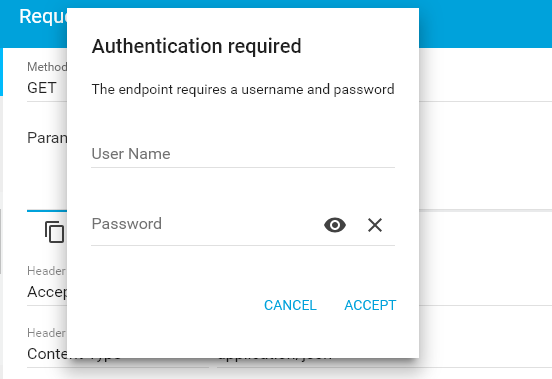
HTTP Basic authentication sends a username and password in the Authorization header of each request. When a Spring Boot application calls an API protected by Basic authentication, its HTTP client must supply that header. RestTemplate can add it to every request through a configured RestTemplateBuilder, or to one request through HttpHeaders.
This tutorial uses Spring Boot 4.1.2 and Java 17 or later. The example is a shipment service that returns a status only to an authenticated warehouse client. The server and client live in one project so the tests can start the service locally, but the client still makes a real HTTP request. We will call it with valid, missing and incorrect credentials, so the result of each client configuration is visible.
1. Add the Dependencies
The example starts a small HTTP server and makes a synchronous client request to it. The Web MVC starter supplies the server, the REST client starter supplies RestTemplateBuilder, and the Security starter protects the endpoint. The test starters let the integration tests start the same application on a random port.
<parent>
  <groupId>org.springframework.boot</groupId>
  <artifactId>spring-boot-starter-parent</artifactId>
  <version>4.1.2</version>
  <relativePath/>
</parent>

<properties><java.version>17</java.version></properties>

<dependencies>
  <dependency><groupId>org.springframework.boot</groupId><artifactId>spring-boot-starter-webmvc</artifactId></dependency>
  <dependency><groupId>org.springframework.boot</groupId><artifactId>spring-boot-starter-restclient</artifactId></dependency>
  <dependency><groupId>org.springframework.boot</groupId><artifactId>spring-boot-starter-security</artifactId></dependency>
  <dependency><groupId>org.springframework.boot</groupId><artifactId>spring-boot-starter-webmvc-test</artifactId><scope>test</scope></dependency>
  <dependency><groupId>org.springframework.boot</groupId><artifactId>spring-boot-starter-security-test</artifactId><scope>test</scope></dependency>
</dependencies>
The complete pom.xml is in the source folder linked at the end. Spring Boot manages these starter versions through its parent POM, so the dependency entries do not need separate version numbers.
2. Protect the Shipment Endpoint
The server returns a status for a shipment ID. The controller contains no authentication logic: Spring Security checks the request before it reaches the method.
@RestController
public class ShipmentController {
  @GetMapping("/shipments/{id}/status")
  public ShipmentStatus status(@PathVariable String id) {
    return new ShipmentStatus(id, "READY_FOR_PICKUP");
  }

  public record ShipmentStatus(String id, String status) {}
}
For this local example, an in-memory user supplies known credentials. The {noop} password marker is limited to a runnable demonstration; use an encoded password and a proper credential store in an application. The SecurityFilterChain requires authentication on every request and enables HTTP Basic.
@Configuration
public class SecurityConfiguration {
  @Bean
  SecurityFilterChain securityFilterChain(HttpSecurity http) {
    http.authorizeHttpRequests(requests -> requests.anyRequest().authenticated())
        .httpBasic(Customizer.withDefaults());
    return http.build();
  }

  @Bean
  UserDetailsService userDetailsService() {
    var client = User.withUsername("warehouse-client")
        .password("{noop}demo-secret")
        .roles("CLIENT")
        .build();
    return new InMemoryUserDetailsManager(client);
  }
}
If the request has no credentials, the server returns HTTP 401 and a WWW-Authenticate challenge. A wrong password also produces 401. Spring Security’s Basic authentication reference explains the filter and challenge flow in detail. For a fuller server-side setup, see our Spring Security Basic authentication guide.
3. Configure Credentials for Every Request
When this client always talks to the shipment service as the same warehouse account, configure credentials once as the RestTemplate is built. Spring Boot provides a RestTemplateBuilder bean; it does not create one shared RestTemplate bean for the application.
public class ShipmentClient {
  private final RestTemplate restTemplate;

  public ShipmentClient(RestTemplateBuilder builder, String username, String password) {
    this.restTemplate = builder.basicAuthentication(username, password).build();
  }

  public ShipmentController.ShipmentStatus getStatus(String baseUrl, String id) {
    return restTemplate.getForObject(baseUrl + "/shipments/{id}/status",
        ShipmentController.ShipmentStatus.class, id);
  }
}
The builder adds a Basic authentication interceptor to this template. When getForObject() makes the request, the interceptor puts the configured credentials in its Authorization header. The server accepts them and the method returns a deserialized ShipmentStatus. Spring Boot’s REST client reference documents this builder configuration.
ShipmentClient client = new ShipmentClient(builder, "warehouse-client", "demo-secret");
ShipmentController.ShipmentStatus status =
    client.getStatus("http://localhost:8080", "S-104");

// status.id() = "S-104"
// status.status() = "READY_FOR_PICKUP"
Keep a template configured for one account limited to that account’s service calls. If the caller’s credentials change from request to request, create the header on each request instead.
4. Supply Credentials for One Request
HttpHeaders.setBasicAuth() sets the header on a particular HttpEntity. This is useful when two calls use different accounts or when a request’s credentials are obtained at runtime. The RestTemplate used here has no default Basic credentials.
HttpHeaders headers = new HttpHeaders();
headers.setBasicAuth(username, password);
HttpEntity<Void> request = new HttpEntity<>(headers);

ResponseEntity<ShipmentController.ShipmentStatus> response = restTemplate.exchange(
    baseUrl + "/shipments/{id}/status",
    HttpMethod.GET,
    request,
    ShipmentController.ShipmentStatus.class,
    id);

ShipmentController.ShipmentStatus status = response.getBody();
exchange() sends the supplied entity and returns a ResponseEntity containing the status code, response headers and mapped body. The credentials belong to this request entity, so a later request made through the same unconfigured template does not inherit them. The full runnable method appears in the GitHub source.
| Credential scope | Code | Choose when |
|---|---|---|
| Every call from one client | builder.basicAuthentication(username, password).build() | The client always authenticates as one service account. |
| One request | headers.setBasicAuth(username, password) with exchange() | The account can differ between requests. |
5. Check Success and Failure Responses
The integration test starts the secured server on a random port and calls it over HTTP. It checks the same shipment ID with valid credentials, wrong credentials and no credentials. This confirms that the header affects the server response rather than merely checking how a header string was assembled.
@SpringBootTest(webEnvironment = SpringBootTest.WebEnvironment.RANDOM_PORT)
class ShipmentClientTest {
  @LocalServerPort int port;
  @Autowired RestTemplateBuilder builder;

  private String baseUrl() { return "http://localhost:" + port; }

  @Test
  void fixedCredentialsReturnShipmentStatus() {
    var client = new ShipmentClient(builder, "warehouse-client", "demo-secret");
    var status = client.getStatus(baseUrl(), "S-104");
    assertEquals("READY_FOR_PICKUP", status.status());
  }

  @Test
  void wrongCredentialsReceiveUnauthorized() {
    var client = new ShipmentClient(builder, "warehouse-client", "wrong-secret");
    var error = assertThrows(HttpClientErrorException.Unauthorized.class,
        () -> client.getStatus(baseUrl(), "S-104"));
    assertEquals(401, error.getStatusCode().value());
  }
}
| Request | Server result | RestTemplate result |
|---|---|---|
| Correct username and password | 200 with shipment JSON | Returns a ShipmentStatus. |
| Wrong password | 401 | Throws HttpClientErrorException.Unauthorized. |
| No credentials | 401 | Throws HttpClientErrorException.Unauthorized. |
By default, RestTemplate treats a 4xx response as an error, so the wrong-password call does not return a normal ShipmentStatus. Catch the exception where your application can decide whether to report an authentication failure or retry with corrected credentials. The source tests also cover the per-request header and the missing-credentials case.
Run all four tests from the project directory:
mvn test
6. Handle Credentials Safely
HTTP Basic encodes username:password with Base64. Base64 is an encoding, not encryption; send Basic credentials only over HTTPS outside a local test. The password also travels on every authenticated request, so do not log the Authorization header. Supply real credentials through your application’s configuration or secret store instead of committing them in source code.
This article uses RestTemplate because existing applications still call it. For new synchronous HTTP client code, Spring Boot also offers RestClient. Keep the choice of client separate from the server’s Basic authentication rule: the server still expects the same header.
7. Frequently Asked Questions
7.1. Does Spring Boot automatically create a RestTemplate bean?
No. Spring Boot makes a RestTemplateBuilder available for a typical auto-configured application. Build a template with the settings needed by the service you are calling, and register that template as a bean yourself if multiple components need the same configuration.
7.2. Why does a wrong password throw an exception instead of returning 401?
The server does return HTTP 401. The default RestTemplate error handler turns that 4xx response into an HttpClientErrorException.Unauthorized on the client side. The exception still exposes the HTTP status and response details.
7.3. Can one RestTemplate call different APIs with different credentials?
Yes. Use an unconfigured template and set the Basic header in an HttpEntity for each call. Avoid configuring a shared template with one account’s credentials and then using it for another account’s requests.
8. Conclusion
Use RestTemplateBuilder.basicAuthentication() when a client always uses one service account. Use HttpHeaders.setBasicAuth() when credentials are specific to a request. In both cases, verify the server’s 200 and 401 behavior and use HTTPS for real credentials.
Happy Learning!

java.lang.IllegalArgumentException: There is no PasswordEncoder mapped for the id “reddy”
what is password