
Spring RestTemplate can serialize a Java object into a JSON POST body and map the JSON response back into a Java object. When a POST creates a resource, the client may also need the HTTP status and the Location header. The method you choose determines which of those parts you receive.
This tutorial uses Spring Boot 4.1.2 and Java 17 or later. A shipping application creates a shipment through an HTTP API. We will send a request record, examine the created shipment and its URL, add a request ID header, and compare the three POST methods with the same endpoint.
1. Add the Dependencies
The example uses Spring MVC to expose a small API and Spring Boot’s REST client starter to build the RestTemplate used to call it. The test starter runs both sides together on a random port, but the client still sends a real HTTP POST.
<parent>
  <groupId>org.springframework.boot</groupId>
  <artifactId>spring-boot-starter-parent</artifactId>
  <version>4.1.2</version>
  <relativePath/>
</parent>

<properties><java.version>17</java.version></properties>

<dependencies>
  <dependency><groupId>org.springframework.boot</groupId><artifactId>spring-boot-starter-webmvc</artifactId></dependency>
  <dependency><groupId>org.springframework.boot</groupId><artifactId>spring-boot-starter-restclient</artifactId></dependency>
  <dependency><groupId>org.springframework.boot</groupId><artifactId>spring-boot-starter-webmvc-test</artifactId><scope>test</scope></dependency>
</dependencies>
The request and response records appear with the controller next. Spring’s JSON message converter maps the request body to the request record and maps the response body back to the response record.
2. Return 201, a Body and a Location from the API
The request contains the shipment destination and weight. The response adds the new shipment ID, which the client cannot know before creation. The controller rejects a blank destination or nonpositive weight. For a valid request, it assigns an ID and returns HTTP 201 Created. The Location header identifies the new resource. A caller can use that header even if it does not need the response body.
@RestController
public class ShipmentController {
  private final AtomicLong nextId = new AtomicLong(104);

  @PostMapping("/shipments")
  public ResponseEntity<Shipment> create(@RequestBody CreateShipment request,
      @RequestHeader(value = "X-Request-ID", required = false) String requestId) {
    if (request.destination() == null || request.destination().isBlank()
        || request.weightKg() <= 0) {
      throw new ResponseStatusException(BAD_REQUEST,
          "Destination and positive weight are required");
    }
    Shipment shipment = new Shipment("S-" + nextId.getAndIncrement(),
        request.destination(), request.weightKg());
    var response = ResponseEntity.created(URI.create("/shipments/" + shipment.id()));
    if (requestId != null) {
      response.header("X-Request-ID", requestId);
    }
    return response.body(shipment);
  }

  public record CreateShipment(String destination, int weightKg) {}
  public record Shipment(String id, String destination, int weightKg) {}
}
The in-memory counter keeps the example runnable without a database. In an application, persistence would normally assign or retain the identifier. The request ID header is optional here; the next section shows how a client sends it.
3. Send JSON and Read the Complete Response
When the client needs the HTTP status, headers and mapped body, use postForEntity(). Pass the Java request object as the second argument and the response type as the third. The JSON converter writes the request object and reads the response into Shipment.
RestTemplate restTemplate = builder.build();
CreateShipment request = new CreateShipment("Delhi", 3);

ResponseEntity<Shipment> response = restTemplate.postForEntity(
    baseUrl + "/shipments", request, Shipment.class);

HttpStatusCode status = response.getStatusCode();
Shipment created = response.getBody();
URI location = response.getHeaders().getLocation();
The integration test receives 201, a body whose destination is Delhi, and a Location matching /shipments/ followed by the returned ID. The client does not construct that URL: the server sets it when it creates the resource. Spring Framework’s RestTemplate Javadoc documents the POST methods and response types.
If the API requires headers, wrap the body and headers in an HttpEntity. The next call sets JSON as the content type and includes a request ID; the server echoes that ID in its response so the test can confirm it arrived.
HttpHeaders headers = new HttpHeaders();
headers.setContentType(MediaType.APPLICATION_JSON);
headers.set("X-Request-ID", "req-42");
HttpEntity<CreateShipment> entity = new HttpEntity<>(
    new CreateShipment("Bengaluru – दक्षिण", 2), headers);

ResponseEntity<Shipment> response = restTemplate.postForEntity(
    baseUrl + "/shipments", entity, Shipment.class);
The response body preserves Bengaluru – दक्षिण, and its X-Request-ID header is req-42. This checks both the JSON body and the explicit header over a real local HTTP request. If you need to send Basic credentials as another header, see the RestTemplate Basic authentication example.
4. Choose the POST Result You Need
The three RestTemplate helpers all send a POST here; they differ in what they return. Choose a method from the information the caller needs, rather than creating three different request formats.
| Method | Returned value | Use when |
|---|---|---|
| postForObject() | Mapped response body | Only the created shipment is needed. |
| postForEntity() | ResponseEntity with status, headers and body | The caller must check 201 or read Location alongside the body. |
| postForLocation() | URI from the Location header |
The new resource URI is the result the caller needs. |
Each call can use the same request record. The first returns Shipment directly, so it does not expose the status or headers. The second returns the complete response as shown above. The third returns the Location value set by the controller.
CreateShipment request = new CreateShipment("Pune", 4);

Shipment body = restTemplate.postForObject(
    baseUrl + "/shipments", request, Shipment.class);

ResponseEntity<Shipment> response = restTemplate.postForEntity(
    baseUrl + "/shipments", request, Shipment.class);

URI location = restTemplate.postForLocation(
    baseUrl + "/shipments", request);
This snippet makes three separate POST requests and therefore creates three resources. In application code, call only the method that returns the information you need. The tests exercise the methods separately, so their results are not confused with one another.
5. Test Success and Invalid Input
The test uses @SpringBootTest with a random HTTP port. It checks that postForEntity() returns the server’s 201 status, mapped body and Location. A separate test sends invalid input and checks the client-side result.
@SpringBootTest(webEnvironment = SpringBootTest.WebEnvironment.RANDOM_PORT)
class ShipmentClientTest {
  @LocalServerPort int port;
  @Autowired RestTemplateBuilder builder;

  private String baseUrl() { return "http://localhost:" + port; }

  @Test
  void postForEntityReturnsCreatedStatusBodyAndLocation() {
    var response = new ShipmentClient(builder).create(baseUrl(),
        new ShipmentController.CreateShipment("Delhi", 3));
    assertEquals(HttpStatus.CREATED, response.getStatusCode());
    assertEquals("Delhi", response.getBody().destination());
    assertEquals("/shipments/" + response.getBody().id(),
        response.getHeaders().getLocation().toString());
  }

  @Test
  void invalidBodyProducesClientErrorException() {
    var error = assertThrows(HttpClientErrorException.BadRequest.class,
        () -> new ShipmentClient(builder).create(baseUrl(),
            new ShipmentController.CreateShipment("", 0)));
    assertEquals(400, error.getStatusCode().value());
  }
}
The server responds with 400 for the invalid request. With the default RestTemplate error handler, that 4xx response becomes HttpClientErrorException.BadRequest rather than a normal ResponseEntity returned from postForEntity(). Spring’s error-handler Javadoc documents this default behavior.
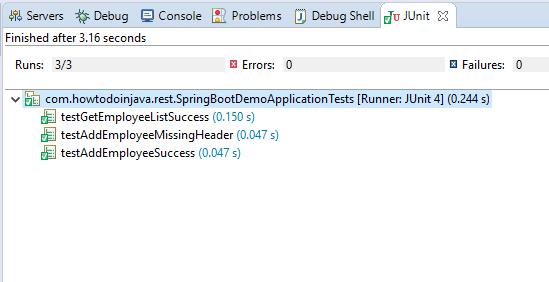
Run all five integration tests from the source directory:
mvn test
The remaining tests verify the explicit request ID and Unicode destination, postForObject() and postForLocation().
6. Frequently Asked Questions
6.1. Must I serialize the request record into a JSON string myself?
No. With Spring Boot’s JSON message converter on the classpath, pass the Java record as the request body and let RestTemplate convert it. Use an HttpEntity when you need to add headers such as Content-Type or X-Request-ID.
6.2. Why did postForLocation() return only a URI?
That method reads the response’s Location header. It is intended for a caller whose next step is to use the new resource URI. Use postForEntity() if you also need the status, other headers or mapped response body.
6.3. Is RestTemplate deprecated in Spring Boot 4?
Spring Framework 7’s REST client reference describes RestTemplate as deprecated in favor of RestClient. Spring Boot 4 still documents and supports RestTemplate, so existing calls can be maintained. For new synchronous client code, use RestClient unless you have a reason to retain the template API.
7. Conclusion
Use postForEntity() when a shipment creation call needs its 201 status, Location and body. Use postForObject() for the body alone or postForLocation() for the new URI. Keep required headers with the request body in an HttpEntity, and test the server’s success and error responses.
Happy Learning!
