
In this Jersey rest security example, we will learn to secure Jersey REST APIs with basic authentication. This will make mandatory every user to provide username/password to authenticate into portal. Also, user must have certain level of role as well. I have extended this example from my other example created for RESTEasy API security and used ContainerRequestFilter implementation to verify access of user before he land on actual REST API.
Table of Contents

1. Create request authentication filter
2. Register AuthenticationFilter with ResourceConfig
3. Secure REST APIs
4. Test Jersey AuthenticationFilter
1. Create request authentication filter
We know that JAX-RS 2.0 has filters for pre and post request handling, so we will be using ContainerRequestFilter interface. In this filter, we will get details of the method which request is trying to access.
We will find-out all security related configuration on that method, and verify everything here in this filter e.g. annotation like @PermitAll, @DenyAll or @RolesAllowed.
According to annotation applied on methods, we will make the decision to pass or block the request.
package com.howtodoinjava.jersey.provider;

import java.lang.reflect.Method;
import java.util.Arrays;
import java.util.HashSet;
import java.util.List;
import java.util.Set;
import java.util.StringTokenizer;

import javax.annotation.security.DenyAll;
import javax.annotation.security.PermitAll;
import javax.annotation.security.RolesAllowed;
import javax.ws.rs.container.ContainerRequestContext;
import javax.ws.rs.container.ResourceInfo;
import javax.ws.rs.core.Context;
import javax.ws.rs.core.MultivaluedMap;
import javax.ws.rs.core.Response;
import javax.ws.rs.ext.Provider;

import org.glassfish.jersey.internal.util.Base64;

/**
 * This filter verify the access permissions for a user
 * based on username and passowrd provided in request
 * */
@Provider
public class AuthenticationFilter implements javax.ws.rs.container.ContainerRequestFilter
{

	@Context
    private ResourceInfo resourceInfo;

    private static final String AUTHORIZATION_PROPERTY = "Authorization";
    private static final String AUTHENTICATION_SCHEME = "Basic";

    @Override
    public void filter(ContainerRequestContext requestContext)
    {
        Method method = resourceInfo.getResourceMethod();
        //Access allowed for all
        if( ! method.isAnnotationPresent(PermitAll.class))
        {
            //Access denied for all
            if(method.isAnnotationPresent(DenyAll.class))
            {
                requestContext.abortWith(Response.status(Response.Status.FORBIDDEN)
                         .entity("Access blocked for all users !!").build(););
                return;
            }

            //Get request headers
            final MultivaluedMap<String, String> headers = requestContext.getHeaders();

            //Fetch authorization header
            final List<String> authorization = headers.get(AUTHORIZATION_PROPERTY);

            //If no authorization information present; block access
            if(authorization == null || authorization.isEmpty())
            {
                requestContext.abortWith(Response.status(Response.Status.UNAUTHORIZED)
                    .entity("You cannot access this resource").build());
                return;
            }

            //Get encoded username and password
            final String encodedUserPassword = authorization.get(0).replaceFirst(AUTHENTICATION_SCHEME + " ", "");

            //Decode username and password
            String usernameAndPassword = new String(Base64.decode(encodedUserPassword.getBytes()));;

            //Split username and password tokens
            final StringTokenizer tokenizer = new StringTokenizer(usernameAndPassword, ":");
            final String username = tokenizer.nextToken();
            final String password = tokenizer.nextToken();

            //Verifying Username and password
            System.out.println(username);
            System.out.println(password);

            //Verify user access
            if(method.isAnnotationPresent(RolesAllowed.class))
            {
                RolesAllowed rolesAnnotation = method.getAnnotation(RolesAllowed.class);
                Set<String> rolesSet = new HashSet<String>(Arrays.asList(rolesAnnotation.value()));

                //Is user valid?
                if( ! isUserAllowed(username, password, rolesSet))
                {
                    requestContext.abortWith(Response.status(Response.Status.UNAUTHORIZED)
                        .entity("You cannot access this resource").build(););
                    return;
                }
            }
        }
    }
    private boolean isUserAllowed(final String username, final String password, final Set<String> rolesSet)
    {
        boolean isAllowed = false;

        //Step 1. Fetch password from database and match with password in argument
        //If both match then get the defined role for user from database and continue; else return isAllowed [false]
        //Access the database and do this part yourself
        //String userRole = userMgr.getUserRole(username);

        if(username.equals("howtodoinjava") && password.equals("password"))
        {
        	String userRole = "ADMIN";

            //Step 2. Verify user role
            if(rolesSet.contains(userRole))
            {
                isAllowed = true;
            }
        }
        return isAllowed;
    }
}
2. Register AuthenticationFilter with ResourceConfig
Now you will need to register above filter with ResourceConfig instance. So create an instance like below:
package com.howtodoinjava.jersey;

import org.glassfish.jersey.filter.LoggingFilter;
import org.glassfish.jersey.server.ResourceConfig;
import com.howtodoinjava.jersey.provider.AuthenticationFilter;
import com.howtodoinjava.jersey.provider.GsonMessageBodyHandler;

public class CustomApplication extends ResourceConfig
{
	public CustomApplication()
	{
		packages("com.howtodoinjava.jersey");
		register(LoggingFilter.class);
		register(GsonMessageBodyHandler.class);

		//Register Auth Filter here
		register(AuthenticationFilter.class);
	}
}
And add this resource config in web.xml file.
<!DOCTYPE web-app PUBLIC
 "-//Sun Microsystems, Inc.//DTD Web Application 2.3//EN"
 "http://java.sun.com/dtd/web-app_2_3.dtd" >

<web-app>

	<display-name>Archetype Created Web Application</display-name>

	<servlet>
		<servlet-name>jersey-serlvet</servlet-name>
		<servlet-class>org.glassfish.jersey.servlet.ServletContainer</servlet-class>
		<init-param>
			<param-name>javax.ws.rs.Application</param-name>
			<param-value>com.howtodoinjava.jersey.CustomApplication</param-value>
		</init-param>
		<load-on-startup>1</load-on-startup>
	</servlet>

	<servlet-mapping>
		<servlet-name>jersey-serlvet</servlet-name>
		<url-pattern>/rest/*</url-pattern>
	</servlet-mapping>

</web-app>
3. Secure REST APIs
Now it’s time to secure the REST APIs. Use standard JAX-RS annotations for that like below.
@Path("/employees")
public class JerseyService
{
	@RolesAllowed("ADMIN")
	@GET
	@Produces(MediaType.APPLICATION_JSON)
	@Consumes(MediaType.APPLICATION_JSON)
	public Employees getAllEmployees()
	{
		Employees list = new Employees();
		list.setEmployeeList(new ArrayList<Employee>());

		list.getEmployeeList().add(new Employee(1, "Lokesh Gupta"));
		list.getEmployeeList().add(new Employee(2, "Alex Kolenchiskey"));
		list.getEmployeeList().add(new Employee(3, "David Kameron"));

		return list;
	}
}
4. Test Jersey AuthenticationFilter
Let’s test if authentication settings are working or not.
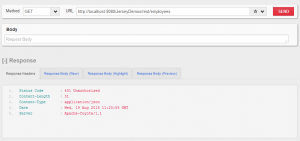
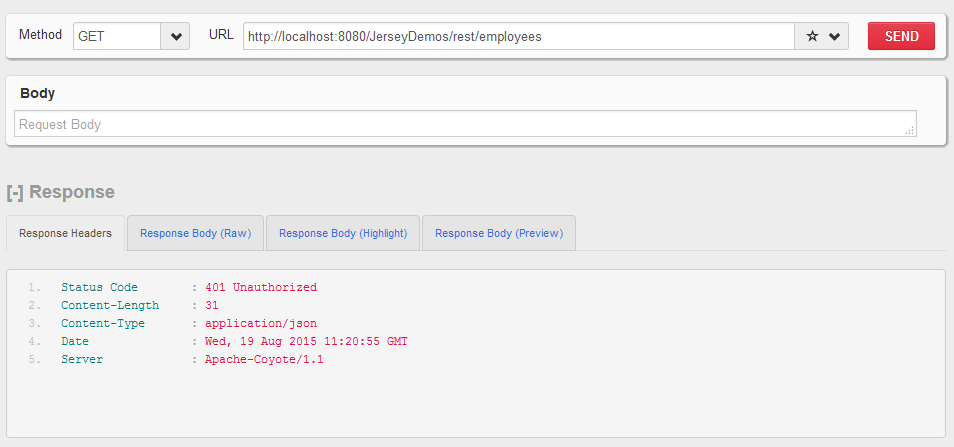
HIT URL : http://localhost:8080/JerseyDemos/rest/employees
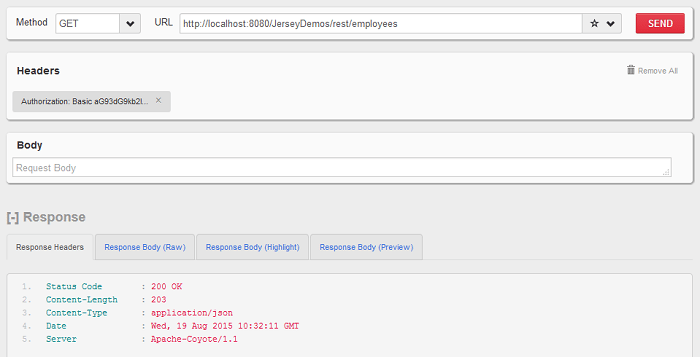
Pass username and password in basic auth parameters: howtodoinjava/password
Click below link to download the sourcecode for jersey rest api authentication example application.
Happy Learning !!

Nice and clear article!
I’ve some questions about abortWith() method. Is there a difference between using it instead of throwing an exception? Using abortWith() is considered a better practice? if yes, why?
David
This is the best and cleanest example that I’ve found for creating a ContainerRequestFilter.
BUT…
Please fix the original code in the post to not use the static final responses.
People are not reading down through all of the comments to find the list of fixes that need to be made to the code in the original publication.
Please see: https://stackoverflow.com/questions/52714946/jersey-java-lang-illegalstateexception-the-output-stream-has-already-been-clos
Where somebody else used your example and got burned by the static final responses.
Thanks for the feedback. Updated the post.
For your information!
Issue about this code:
https://stackoverflow.com/questions/38484752/jersey-throws-npe-for-each-call-after-using-containerrequestcontext-abortwith
Hi Lokesh
Its very Helpful Tutorial
But where you generate token for client
End how REST end point validate it
And Also I want to set my login form
JSON data //{username:username,password:password}//
to REST web service through Angularjs
How my REST web service issue token and get back to client that it should succesfully request any response class
From REST client in FIREFOX it worked welll
BUT what about above scenario
Hi,
Its a very nice and helpful article. I tries running this on my local.
Could you please help me out how can I pass username and password?
What I am doing right now is trying to call the following url “http://localhost:8082/JerseyDemos/rest/employees”, but not getting a way to pass authentication?
Use base64encode.org to get encoded base64 encoded username:password combination. e.g. this example uses
howtodoinjava:passwordwhich encoded value isaG93dG9kb2luamF2YTpwYXNzd29yZA==. Pass this value in HTTP header Authorization.Help: In url acesse return above error:
SyntaxError: JSON.parse: unexpected character at line 1 column 1 of the JSON data
Hi Lokesh,
Thanks for sharing this information, But i am getting a null pointer exception for
private ResourceInfo ResourceInfo;
@Override
public void filter(ContainerRequestContext request) throws IOException
{
Method method = ResourceInfo.getResourceMethod();
SEVERE: Servlet.service() for servlet [jersey-serlvet] in context with path [/RestSimple] threw exception [java.lang.NullPointerException] with root cause
java.lang.NullPointerException
Beautifully implemented. Thanks!
thanks for sharing, It is very helpful.
WHERE IS THE CLASS GsonMessageBodyHandler?
Please see inside attached source code.
Hi, I am working with legacy code and in my web.xml it’s already has an entry of
javax.ws.rs.Application
com.howtodoinjava.jersey.LeacagcyApplication
With older version of jersery-server jar.
Now I want add a new Application consist of RolesAllowedDynamicFeature register call.
How can I achieve that.
Thanks in advance
Thanks for sharing!
Just one comment
you can use
javax.ws.rs.core.HttpHeaders.AUTHORIZATION
instead of
private static final String AUTHORIZATION_PROPERTY = “Authorization”;
Great article, thanks.
What if I’d like to use the same credentials I got in my AuthenticationFilter class to authenticate against my resource (database, application, .. etc) to get the data.
Simply how to inject the username and password to my Resource class?
how to use post method in jerseyservice
what we have to put value in post method
If a user requests for an information like user account information by using his user id then how to authorize him to access that information (How to check than the information requested by the user is his own information and not the different user’s information) and authorize him to access such information.
You will need to implement some kind of domain object security.
Perfect!. Besides the Method, you can also check for the Type with Class clase = resourceInfo.getResourceClass().
When I try and inject the ResourceInfo into the AuthenticationFilter I get the following exception:
A MultiException has 3 exceptions. They are:
1. java.lang.IllegalStateException: Not inside a request scope.
2. java.lang.IllegalArgumentException: While attempting to resolve the dependencies of example.jersey.MyRequestFilter errors were found
3. java.lang.IllegalStateException: Unable to perform operation: resolve on example.jersey.MyRequestFilter
Use Jersey 2.5.1 if possible OR inject ResourceInfo using @Context javax.inject.Provider <ResourceInfo> in 2.4
Thanks for the good example. Although in case no user-pass is provided, your code simply responses “access denied” while I would like to have the browser show the login page. I got it working by changing the corresponding part of the code as follows:
if(authorization == null || authorization.isEmpty())
{
// requestContext.abortWith(ACCESS_DENIED);
requestContext.abortWith(Response.status( Response.Status.UNAUTHORIZED ).header(“WWW-Authenticate”, “Basic”).build());
return;
}
Hi , as logged by Nav getting org.glassfish.jersey.message.internal.MessageBodyProviderNotFoundException while executing the client included genson-1.3.jar in classpath but the error is still there , any pointers ?
thx for sharing dear friend
Hi, I’m trying to test it and always I can have access to the application. Always a give a 200 OK message. How I have to test it to receive the 401 unauthorized message????
See my response below for the lines you need to change to fix this.
Nice Example, very easy and good structured.
But when you run it in TOMCAT you will find out, that the second attempt to read an unauthorized resource does not result in an error message.
This is a side effect, because the Responses for ACCESS_FORBIDDEN or ACCESS_DENIED are defined as static final.
Instead the above code write:
…
if(method.isAnnotationPresent(DenyAll.class))
{
requestContext.abortWith(Response.status(Response.Status.FORBIDDEN)
.entity(“Access blocked for all users !!”).build());
return;
}
…
Thanks Lokesh .Nice . And thank you Georg for correction. It worked well using RESTClient,
I am facing below issue while calling the ws using the class/client code at: com.howtodoinjava.jersey.client.JerseyClientExamples
Web service I have deployed in Tomcat and running the standalone code from JerseyClientExamples:
Exception which I am getting:
Exception in thread “main” javax.ws.rs.ProcessingException: java.net.ConnectException: Connection refused
at org.glassfish.jersey.client.HttpUrlConnector.apply(HttpUrlConnector.java:244)
at org.glassfish.jersey.client.ClientRuntime.invoke(ClientRuntime.java:254)
at org.glassfish.jersey.client.JerseyInvocation$1.call(JerseyInvocation.java:671)
at org.glassfish.jersey.client.JerseyInvocation$1.call(JerseyInvocation.java:668)
at org.glassfish.jersey.internal.Errors.process(Errors.java:315)
at org.glassfish.jersey.internal.Errors.process(Errors.java:297)
at org.glassfish.jersey.internal.Errors.process(Errors.java:228)
at org.glassfish.jersey.process.internal.RequestScope.runInScope(RequestScope.java:444)
at org.glassfish.jersey.client.JerseyInvocation.invoke(JerseyInvocation.java:668)
at org.glassfish.jersey.client.JerseyInvocation$Builder.method(JerseyInvocation.java:402)
at org.glassfish.jersey.client.JerseyInvocation$Builder.get(JerseyInvocation.java:302)
at com.howtodoinjava.jersey.client.JerseyClientExamples.httpGETCollectionExample(JerseyClientExamples.java:47)
at com.howtodoinjava.jersey.client.JerseyClientExamples.main(JerseyClientExamples.java:26)
Caused by: java.net.ConnectException: Connection refused
Nice catch. I saw the same issue when I tried it.
Hi,
While running the standalone class com.howtodoinjava.jersey.client.JerseyClientExamples
getting below exception:
Exception in thread “main” org.glassfish.jersey.message.internal.MessageBodyProviderNotFoundException: MessageBodyReader not found for media type=text/html;charset=utf-8, type=class com.howtodoinjava.jersey.beans.Employees, genericType=class com.howtodoinjava.jersey.beans.Employees.
I ran into the same issue, the problem is that a Static Response is reused (i.e. the same Response object is re-used)… this is a bad / invalid practice and a new Response object should be created with each response.
To properly create a new response each time, in the filter you should replace this line:
requestContext.abortWith(ACCESS_DENIED);
With:
requestContext.abortWith( Response.status(Response.Status.UNAUTHORIZED)
.entity(“You cannot access this resource”).build() );
And you can remove the “ACCESS_DENIED” object since that is no good.
To reuse the same response multiple times you can create a helper method like this:
private Response unauthorizedResponse(){
return Response.status(Response.Status.UNAUTHORIZED)
.entity(“You cannot access this resource”).build();
}
Then simply use:
requestContext.abortWith( unauthorizedResponse() );
The same setup should be used on the “ACCESS_FORBIDDEN” object, and that object should also be removed.
Source of discussion that lead to my solution:
https://github.com/jtmelton/appsensor/issues/30
Thanks for sharing your solution with us. Much appreciated.