
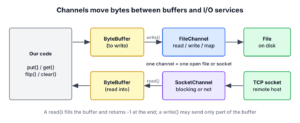
A Java NIO channel is an open connection to a file, a socket or another I/O resource that reads bytes into a ByteBuffer and writes bytes from a ByteBuffer. The java.nio.channels package defines the channel interfaces, and classes such as FileChannel and SocketChannel implement them on top of the file and socket handles of the operating system.
We use channels when a stream is not enough, for example to read a file at a given position, to copy files with transferTo(), to map a file into memory, to read one record into several buffers at once, or to serve many sockets from one thread with a Selector.
The following example writes 7 bytes to a FileChannel opened for reading and writing, and reads them back from position 0.
Path file = Files.createTempFile("fruits", ".txt");
try (FileChannel channel = FileChannel.open(file, StandardOpenOption.READ, StandardOpenOption.WRITE)) {
    int written = channel.write(ByteBuffer.wrap("apple=5".getBytes(StandardCharsets.UTF_8)));   // 7
    long size = channel.size();                         // 7
    ByteBuffer buffer = ByteBuffer.allocate(16);
    int read = channel.read(buffer, 0);                 // 7
    String text = new String(buffer.array(), 0, buffer.position(), StandardCharsets.UTF_8);   // "apple=5"
}
Notice that the channel never returns bytes one by one. Every call moves a block of bytes between the file and a buffer, and try-with-resources closes the channel at the end. We start with the channel interfaces and implementations, look at opening, reading, writing and closing channels, switch socket channels to non-blocking mode, and finish with scatter/gather (vectored) I/O.
1. Java NIO Channel
A channel represents one open connection to an I/O service, such as a file, a TCP socket or a UDP socket. A program reads from a channel into a buffer and writes from a buffer into a channel, so a channel always works together with the NIO buffer classes. A channel is often bidirectional, whereas an InputStream only reads and an OutputStream only writes.
At the top of the hierarchy, the Channel interface declares only isOpen() and close(). It extends Closeable, so every channel works with try-with-resources. The other interfaces add the operations, and a class implements the ones its I/O service supports.
| Interface | Adds | Implemented by |
|---|---|---|
| ReadableByteChannel | int read(ByteBuffer) | FileChannel, SocketChannel, DatagramChannel, Pipe.SourceChannel |
| WritableByteChannel | int write(ByteBuffer) | FileChannel, SocketChannel, DatagramChannel, Pipe.SinkChannel |
| ByteChannel | read() and write() | FileChannel, SocketChannel, DatagramChannel |
| SeekableByteChannel | position(), size(), truncate() | FileChannel, the channel from Files.newByteChannel() |
| ScatteringByteChannel, GatheringByteChannel | Reads into and writes from a ByteBuffer[] | FileChannel, SocketChannel, DatagramChannel, pipe channels |
| NetworkChannel | bind(), socket options | SocketChannel, ServerSocketChannel, DatagramChannel |
| InterruptibleChannel | Closes the channel when a blocked thread is interrupted | FileChannel, socket and pipe channels |
1.1. Channel Implementations
The JDK ships a small set of channel classes, and each one connects to one kind of I/O service.
- FileChannel reads, writes, maps and locks a file. It always blocks.
- SocketChannel is a TCP connection, and since Java 16 it also supports Unix domain sockets.
- ServerSocketChannel listens for TCP connections and returns a SocketChannel for each client.
- DatagramChannel sends and receives UDP packets.
- Pipe.SourceChannel and Pipe.SinkChannel are the two ends of a one-way pipe between threads.
- AsynchronousFileChannel and AsynchronousSocketChannel start an operation and report the result later through a Future or a CompletionHandler.
2. Opening a Channel
We open a file channel from a Path with FileChannel.open(). The StandardOpenOption values decide what the channel may do. Without options, the channel opens an existing file for reading only.
Path file = Files.createTempFile("notes", ".txt");
try (FileChannel reader = FileChannel.open(file);                                   // READ is the default
     FileChannel appender = FileChannel.open(file, StandardOpenOption.APPEND);      // writes go to the end
     SeekableByteChannel any = Files.newByteChannel(file, StandardOpenOption.READ)) {
    boolean open = reader.isOpen();                     // true
    long position = appender.position();                // 0
}
Older code gets a channel from a stream or a RandomAccessFile with getChannel(). The channel shares the file descriptor with its stream, so closing either one closes both. We use getChannel() only when a library gives us a FileInputStream or a FileOutputStream, and the Channels class adapts any stream to a channel and back.
Path file = Files.createTempFile("legacy", ".txt");
try (FileInputStream in = new FileInputStream(file.toFile());
     FileChannel fromStream = in.getChannel();
     ReadableByteChannel adapted = Channels.newChannel(new ByteArrayInputStream(new byte[3]))) {
    long size = fromStream.size();                      // 0
    int read = adapted.read(ByteBuffer.allocate(8));    // 3
}
Socket channels have their own open() factory methods, and each call creates a new channel. The client channel connects in blocking mode by default, and a server channel binds to a port with bind().
static SocketChannel connect(String host, int port) throws IOException {
    return SocketChannel.open(new InetSocketAddress(host, port));
}
try (ServerSocketChannel server = ServerSocketChannel.open().bind(new InetSocketAddress("localhost", 0));
DatagramChannel udp = DatagramChannel.open()) {
boolean bound = server.getLocalAddress() != null; // true
boolean blocking = udp.isBlocking(); // true
}3. Using the Channels
The read() and write() methods take a ByteBuffer and return the number of bytes they moved. A read() puts bytes into the buffer between its position and its limit, often fewer than the space left, and returns -1 at the end of the file or stream. A write() can write fewer bytes than the buffer holds, especially on a socket, so we call it again while the buffer has bytes remaining.
The method copy() moves the bytes from any readable channel to any writable channel with one 16 KB buffer. The same code copies a file to a socket or a socket to a file, because it depends only on the two interfaces.
static long copy(ReadableByteChannel src, WritableByteChannel dest) throws IOException {
    ByteBuffer buffer = ByteBuffer.allocateDirect(16 * 1024);
    long total = 0;
    while (src.read(buffer) != -1) {
        buffer.flip();                                  // switch from filling to draining
        while (buffer.hasRemaining()) {
            total += dest.write(buffer);
        }
        buffer.clear();                                 // ready for the next read
    }
    return total;
}
Path source = Files.writeString(Files.createTempFile("menu", ".txt"), "soup,salad,pie");
Path target = Files.createTempFile("menu-copy", ".txt");
try (FileChannel in = FileChannel.open(source);
FileChannel out = FileChannel.open(target, StandardOpenOption.WRITE, StandardOpenOption.TRUNCATE_EXISTING)) {
long copied = copy(in, out); // 14
}
String copy = Files.readString(target); // "soup,salad,pie"For file copies, Files.copy() is the shorter choice, and for channel-to-channel copies FileChannel transferTo() and transferFrom() let the operating system move the bytes without our buffer. The manual loop is still the pattern we need when we process the bytes on the way, for example to compute a checksum.
3.1. Reading at a Position
A FileChannel also has read(ByteBuffer, long) and write(ByteBuffer, long), which work at an absolute file position and do not change the position of the channel. Several threads can call them on the same channel at the same time, because file channels are safe for use by multiple concurrent threads.
For example, a log shipping agent reads the last 64 KB of a 2 GB access log every few seconds. It reads the tail with a position-based read, so it never reads the first 2 GB.
static String tail(Path log, int bytes) throws IOException {
    try (FileChannel channel = FileChannel.open(log)) {
        long start = Math.max(0, channel.size() - bytes);
        ByteBuffer buffer = ByteBuffer.allocate(bytes);
        while (buffer.hasRemaining() && channel.read(buffer, start + buffer.position()) != -1) {
        }
        return new String(buffer.array(), 0, buffer.position(), StandardCharsets.UTF_8);
    }
}
Path log = Files.writeString(Files.createTempFile("access", ".log"), "GET /a\nGET /b\nGET /c\n");
String lastLine = tail(log, 7); // "GET /c\n"3.2. Channel Capabilities Depend on How It Was Opened
Every FileChannel has both read() and write() methods, because the class implements ByteChannel. The options we opened it with decide which calls work. A write on a channel opened for reading throws NonWritableChannelException, and a read on a write-only channel throws NonReadableChannelException. Both are unchecked, so the compiler does not warn us.
Path file = Files.writeString(Files.createTempFile("prices", ".txt"), "tea=3");
try (FileChannel readOnly = FileChannel.open(file, StandardOpenOption.READ)) {
    int written = readOnly.write(ByteBuffer.wrap(new byte[]{1}));   // NonWritableChannelException
}
A channel from FileInputStream.getChannel() is read-only for the same reason, and one from FileOutputStream.getChannel() is write-only.
4. Blocking and Non-Blocking Channels
By default, every channel blocks. A read() on a socket waits until bytes arrive, and accept() waits until a client connects. Socket and pipe channels extend SelectableChannel, so we can switch them to non-blocking mode with configureBlocking(false). In that mode, a call returns at once, and it returns 0 or null when nothing is ready.
try (ServerSocketChannel server = ServerSocketChannel.open().bind(new InetSocketAddress("localhost", 0));
     Selector selector = Selector.open()) {
    server.configureBlocking(false);
    SelectionKey key = server.register(selector, SelectionKey.OP_ACCEPT);
    SocketChannel client = server.accept();             // null, no client is waiting
    int ready = selector.selectNow();                   // 0
}
A Selector watches many non-blocking channels and reports which ones are ready, so one thread can serve thousands of connections. Frameworks such as Netty and the reactive stack of Spring are built on it. FileChannel is not selectable and always blocks, and AsynchronousFileChannel is the file API that does not block the caller.
Virtual threads, final since Java 21, make the blocking style cheap again. A blocking SocketChannel or Socket call parks the virtual thread and frees its carrier OS thread, so a thread-per-connection server scales without a Selector. The trade-offs are compared in Java IO vs NIO.
5. Scatter/Gather (Vectored I/O)
A scattering read fills several buffers from one channel in a single call, and a gathering write sends several buffers to one channel in a single call. The idea is also called vectored I/O. The ScatteringByteChannel and GatheringByteChannel interfaces add read(ByteBuffer[]) and write(ByteBuffer[]), plus overloads with an offset and a length into the array.
A scattering read fills the first buffer up to its limit before it moves to the next one. A gathering write sends the remaining bytes of each buffer in array order. The operating system does the splitting and joining with one system call where it supports vectored I/O, so we do not copy a header and a body into one combined array.
Vectored I/O pays off when a record has a fixed-size header. For example, a music player stores each track in a small binary file with an 8-byte header, holding the track number and the length in seconds, followed by the title. A gathering write sends the header and the title buffers together, and a scattering read splits them again.
static void writeTrack(Path file, int trackId, int seconds, String title) throws IOException {
    ByteBuffer header = ByteBuffer.allocate(8).putInt(trackId).putInt(seconds).flip();
    ByteBuffer body = ByteBuffer.wrap(title.getBytes(StandardCharsets.UTF_8));
    ByteBuffer[] parts = {header, body};
    try (FileChannel channel = FileChannel.open(file, StandardOpenOption.WRITE,
            StandardOpenOption.CREATE, StandardOpenOption.TRUNCATE_EXISTING)) {
        while (body.hasRemaining()) {
            channel.write(parts);                       // gathering write
        }
    }
}
static String readTrack(Path file) throws IOException {
ByteBuffer header = ByteBuffer.allocate(8);
ByteBuffer body = ByteBuffer.allocate(64);
ByteBuffer[] parts = {header, body};
try (FileChannel channel = FileChannel.open(file)) {
while (channel.read(parts) > 0) { // scattering read
}
}
header.flip();
body.flip();
int trackId = header.getInt();
int seconds = header.getInt();
return trackId + " " + seconds + "s " + StandardCharsets.UTF_8.decode(body);
}Path file = Files.createTempFile("track", ".bin");
writeTrack(file, 7, 215, "Blue Train");
long size = Files.size(file); // 18
String track = readTrack(file); // "7 215s Blue Train"Notice the flip() on the header before the write. Without it, the header position stays at 8, the channel sees no remaining bytes in it, and the file contains only the title.
The same pattern works for network protocols. An HTTP server can send the response headers and a file body with one gathering write on a SocketChannel. Scattering reads fit only fixed-size headers, because the channel cannot know where a variable-length header ends.
6. Closing a Channel
We close a channel with close(), or let try-with-resources do it. A closed channel cannot be reopened, because it represents one connection to one I/O service. Calling close() again does nothing, and any read or write after closing throws ClosedChannelException.
Path file = Files.createTempFile("closed", ".txt");
FileChannel channel = FileChannel.open(file, StandardOpenOption.WRITE);
channel.close();
channel.close();                                        // no effect
boolean open = channel.isOpen();                        // false
int written = channel.write(ByteBuffer.allocate(1));    // ClosedChannelException
Channels are also interruptible. When a thread blocked in a channel operation is interrupted, the JDK closes the channel and the thread gets ClosedByInterruptException. The same happens when the interrupt flag is already set before the call.
Path file = Files.writeString(Files.createTempFile("report", ".csv"), "q1,q2");
try (FileChannel channel = FileChannel.open(file)) {
    Thread.currentThread().interrupt();
    int read = channel.read(ByteBuffer.allocate(8));    // ClosedByInterruptException
} finally {
    boolean cleared = Thread.interrupted();             // clears the flag again
}
The interrupt rule causes real bugs in shared channels. Say a reporting service shares one FileChannel between request threads, and a timeout cancels a slow request with future.cancel(true). The interrupt closes the shared channel, and every other request fails with ClosedChannelException. We avoid it by opening one channel per task, or by not interrupting threads that use a shared channel.
7. Java NIO Channel FAQs
The channel questions people search for compare channels with streams and ask about thread safety, blocking and the asynchronous classes.
7.1. What is the difference between a channel and a stream in Java?
A stream moves bytes in one direction and works with byte arrays, whereas a channel can be bidirectional and works with ByteBuffer objects. Channels also support position-based access, memory mapping, file locks, scatter/gather and, for sockets, non-blocking mode. Streams are simpler for sequential text, which is why Java IO streams and readers are still the default for line-by-line work.
7.2. Is FileChannel thread-safe?
Yes. Several threads can use one FileChannel, and the position-based read(ByteBuffer, long) and write(ByteBuffer, long) calls can run at the same time. Operations that change the channel position or the file size run one at a time. The buffers are not thread-safe, so each thread needs its own ByteBuffer.
7.3. Can a FileChannel be non-blocking?
No. FileChannel does not extend SelectableChannel, so it has no configureBlocking() method and cannot register with a Selector. For file reads that do not block the caller, we use AsynchronousFileChannel, or run the blocking call in a virtual thread.
7.4. Does closing the FileInputStream close its channel?
Yes. A stream and the channel from its getChannel() share one file descriptor, so closing either one closes both.
Path file = Files.writeString(Files.createTempFile("shared", ".txt"), "abc");
FileInputStream in = new FileInputStream(file.toFile());
FileChannel channel = in.getChannel();
in.close();
boolean open = channel.isOpen();                        // false
7.5. When should we use AsynchronousFileChannel?
When the calling thread must not wait for a file operation, for example in an event loop. It returns a Future or calls a CompletionHandler when the operation completes. In code that already runs on virtual threads, a plain blocking FileChannel is simpler and reads the same way.
8. Conclusion
A Java NIO channel connects a buffer to a file, a socket or a pipe. We open file channels with FileChannel.open() and the right StandardOpenOption values, read until read() returns -1, and write in a loop until the buffer is empty.
Position-based reads let many threads share one file channel, and socket channels can switch to non-blocking mode for a Selector. Scattering reads and gathering writes move a fixed-size header and a body in one call. Interrupting a thread closes the channel it is blocked on, so shared channels need care.
9. References
- java.nio.channels package (Java 25)
- FileChannel Javadoc
- ScatteringByteChannel Javadoc
- GatheringByteChannel Javadoc
- InterruptibleChannel Javadoc
- JEP 380, Unix-Domain Socket Channels
Happy Learning !!
