
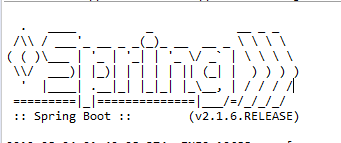
Set spring.main.banner-mode=off to stop Spring Boot from printing its startup banner. The setting controls the banner, not application logging. Startup messages still appear, which makes it possible to keep useful diagnostics while removing the ASCII logo. The examples use Spring Boot 4.1.2.
1. Turn Off the Banner in Configuration
Put this line in src/main/resources/application.properties when the banner should be absent on normal launches:
spring.main.banner-mode=off
For an application that uses YAML instead, the equivalent setting is:
spring:
  main:
    banner-mode: off
Build and run the sample application. Its Maven build uses the Spring Boot starter parent for dependency and plugin management:
mvn package
java -jar target/spring-boot-banner-demo-1.0.0.jar
The first visible lines are startup logs, with no ASCII banner before them:
INFO ... Starting BannerApplication ...
INFO ... Started BannerApplication ...
The process still logs because banner-mode does not set the logging level. The Spring Boot banner reference defines three modes: console, log, and off. With structured logging enabled, Spring Boot can default to off; otherwise its usual default is console. Setting off explicitly makes the intended behavior clear across these arrangements.
2. Change the Mode for One Launch
An external property can override the value in application.properties. This is useful when checking the banner without editing and rebuilding the application. Run the same JAR with console:
java -jar target/spring-boot-banner-demo-1.0.0.jar \
  --spring.main.banner-mode=console
The banner now appears before the startup log:
 :: Spring Boot ::                (v4.1.2)
INFO ... Starting BannerApplication ...
The command-line value changes this launch only. Remove the argument and the off value from application.properties applies again. Use log when the banner should go through the configured logger rather than directly to the console; the result then depends on that logger’s configuration.
3. Set the Banner Mode in Java
An application that configures SpringApplication in code can set the mode before calling run(). Here is the complete main class from the sample:
package com.howtodoinjava.banner;

import org.springframework.boot.Banner;
import org.springframework.boot.SpringApplication;
import org.springframework.boot.autoconfigure.SpringBootApplication;

@SpringBootApplication
public class BannerApplication {
    public static void main(String[] args) {
        SpringApplication application = new SpringApplication(BannerApplication.class);
        application.setBannerMode(Banner.Mode.OFF);
        application.run(args);
    }
}
Calling setBannerMode() establishes the Java default before the application starts. The sample also has spring.main.banner-mode=off, so both settings agree on a normal launch. An external property can still override this Java setting. That is why the console argument in Section 2 prints a banner even though the class calls setBannerMode(Banner.Mode.OFF). Use the property for an ordinary configuration choice; use the Java API when the application already needs to configure SpringApplication programmatically.
4. FAQs
4.1. Does disabling the banner also disable startup logs?
No. spring.main.banner-mode=off affects the banner only. The sample still prints Starting BannerApplication and Started BannerApplication. If startup logs must change, configure logging separately rather than using the banner setting.
4.2. Why do I still see a banner after setting off?
Check whether a command-line argument or another external configuration source supplies spring.main.banner-mode=console. For example, the following launch will print the banner even when the packaged property says off:
java -jar target/spring-boot-banner-demo-1.0.0.jar --spring.main.banner-mode=console
Also check that the application loaded the application.properties or application.yaml file you edited. A file outside the active configuration location will not control startup.
5. Conclusion
Use spring.main.banner-mode=off for the usual configuration-based solution. Set the mode through SpringApplication when startup is already customized in code, and use a command-line value to check one run. The startup logs remain available in every case.
Happy Learning!
The complete runnable example on GitHub contains the Spring Boot 4.1.2 build, main class, and configuration file.
